
By the end of April 2016, we will be fully live with the Cerner Camera Capture application. This allows clinicians using iOS (iPhone or iPad) (***BREAKING*** NOW AVAILABLE ON ANDROID!!) to capture patient pictures in a HIPPA compliant way (the images are NOT saved to your device) and import them in to a chart document. Currently, only Powernote allows for image imporatation–the functionality is expected for to be available for Dynamic Documentation later in 2016.
First, you need to request an access code from the Help Desk (516-3111). Once you have the code, search for Cerner Camera Capture on the Apple App Store or the Google Play store and download it. It’s free.
Next, launch the application and put in the access code when prompted to do so. You only have to do this once.
Then, select a patient using SEARCH, from your Ambulatory Schedule, or from the inpatient census. Once a patient is selected, the camera will come on and you can take a picture in pretty much the same way you’re used to.

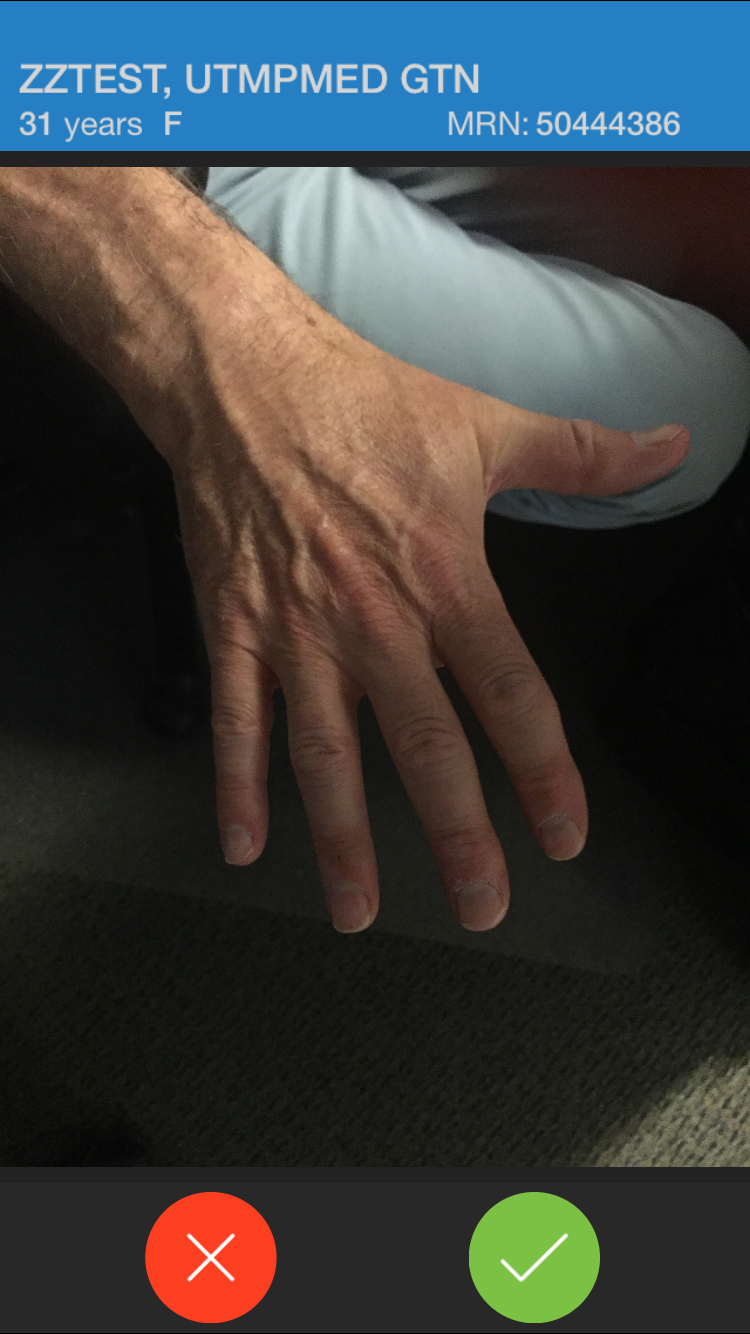
Once you have taken the image, you need to pick a folder into which the image will live temporarily:

If you are done taking pictures, you now need to return to the desktop version of PowerChart.
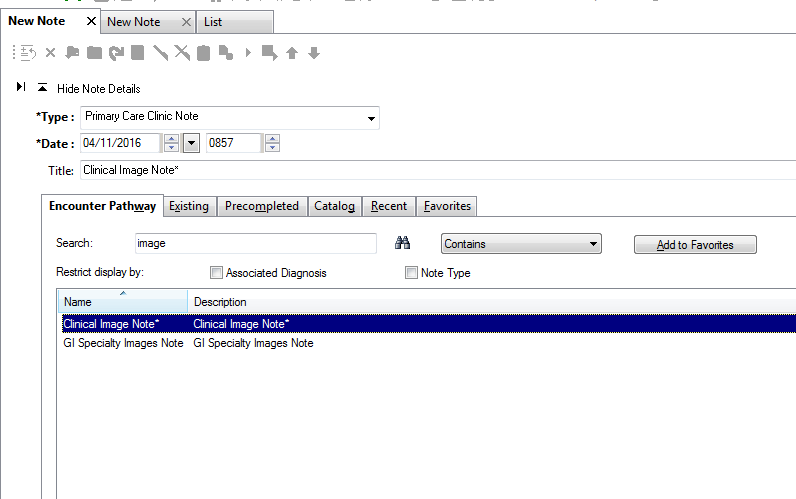
If you are using a Powernote anyway, great! If you are not, search for “Clinical Image Note:
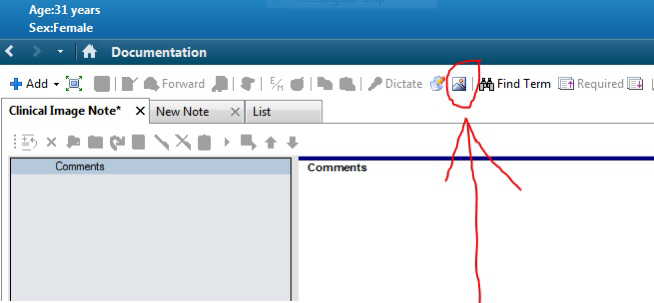
Once you have the note open, look for the picture icon at the top of the note page:
This will launch the MultiMedia Manager, where you can choose the image you wish to import:

Once you choose the image(s) you want to import, hit INCLUDE, and you’re done.
You’ll now note that you see NOTHING!
Sorry about this next step, but you need to hit “Preview” to see what you have:

You can add free text nearby if you wish to further describe that you’re showing. SIGN/SUBMIT and you’re done.
IMPORTANT: You must import the image into a document to save it for the long-term. Images in the MultiMedia Manager will be purged 7 days from original capture.
Your friendly Physican Analyst at your facility can help you if you have questions. We hope you will find this useful to help tell the patient’s story.

 Burt's Highly Informative Medical Informatics Blog